Tuning Comskip Commercial Detection
See this post for details if you’re want to install a custom version of Comskip.
INI’s
Comskip can be fine tuned to better detect and cut commercials for each country/region. There is a file called comskip.ini in the comskip directory in the MCEBuddy installation directory (by default C:\Program Files\MCEBuddy2x). The details of the tuning parameters can be found at: http://www.kaashoek.com/files/tuning.htm
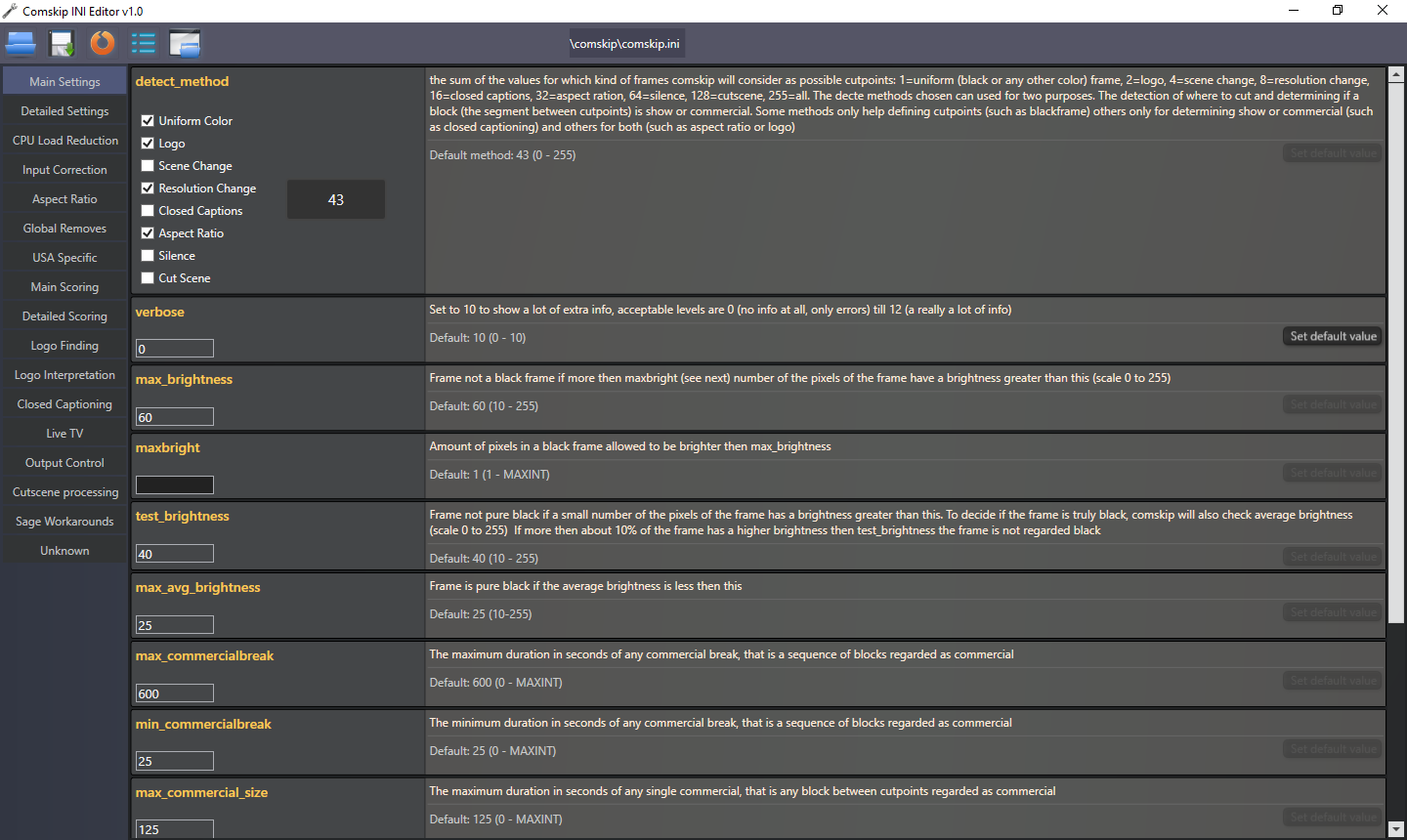
NOTE: Starting v2.4.1 there is a GUI based Comskip INI Editor included in the
MCEBuddy\Comskip\ComskipINIEditor.exeinstallation folder. You can use this to understand the various options and edit them through the GUI directly without having to manually edit/understand the options.
Community Comskip INI’s
The links below are an aggregation of custom Comskip.ini files created by various users across the globe. Comskip is used for commercial detection, but it isn’t perfect. However it can be heavily customized via the comskip.ini.
Users have created custom version of specific channels in specific countries. Feel free to use them and contribute back to this discussion.
Installing INI’s
If you’re using the Premium Access versions of MCEBuddy, once you’ve downloaded/created your custom comskip INI file you can configure them using on the following options:
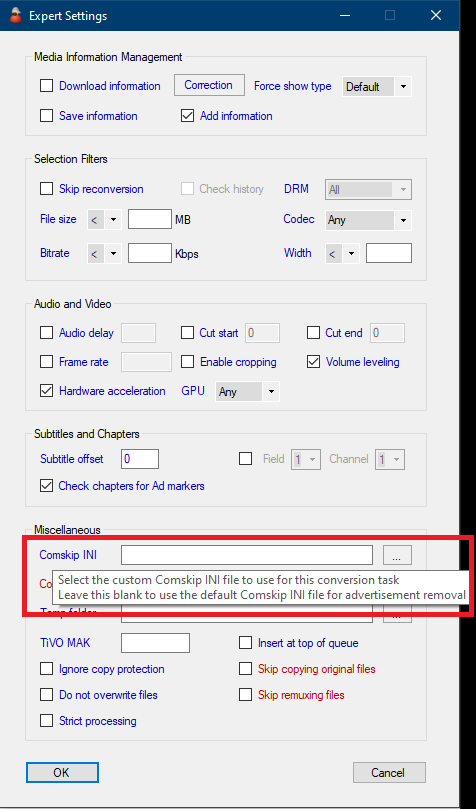
Custom comskip INI for each conversion tasks - You can configure a separate INI file for each conversion task by configuring the option Conversion Task → Expert Settings → Comskip INI. Save your custom comkip INI file in a separate folder.
Custom comskip INI file for all conversion tasks - If you want to replace the default INI that ship with MCEBuddy, you can so that by replacing the comkip.ini file that lies in the
MCEBuddy\Comskip installation folder. (NOTE: This method is temporary and does not carry over when MCEBuddy is upgraded/reinstalled)Any custom INI files configured in option 1 (individual conversion tasks) will take precedence over the custom INI configured in option 2 (default/all conversion tasks)
NOTE:
Option 1 is the preferred approach as the settings will be carried over when MCEBuddy is upgraded. With Option 2 the default Comskip INI will be overwritten when MCEBuddy is upgraded.
Runtime Parameters for Comskip CLI
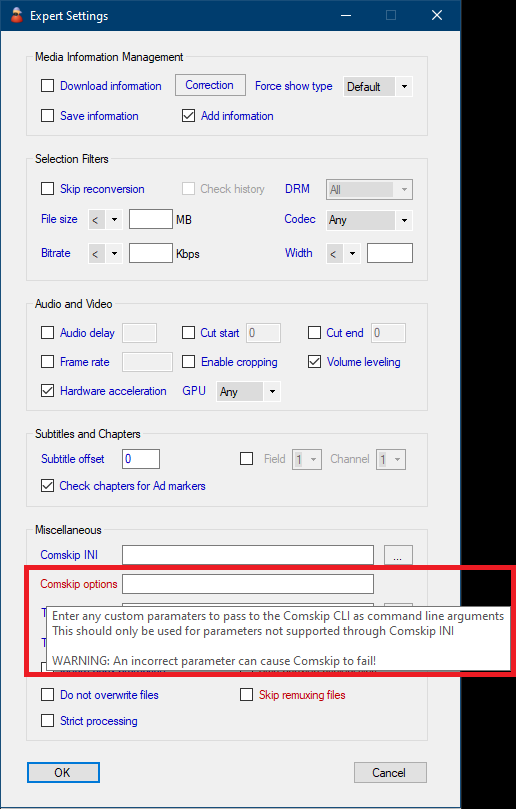
- You can also pass custom runtime parameters to the Comskip CLI by entering them in Conversion Task → Expert Settings → Comskip options
NOTE: Be careful when entering custom comskip cli parameters as an incorrect option can cause comskip to fail!
Using Hardware Decoding
MCEBuddy version 2.6.4+ includes a hardware accelerated version of Comskip which can speed up the decoding and detection process.
Set the appropriate parameter for Comskip CLI in Conversion Task → Expert Settings → Comskip options
--cuvidfor Nvidia NVDEC--qsvfor Intel QSV--dxva2for AMD AMF/VCE/GenericNOTE :
--dxva2will also work for other hardware (e.g. Intel or NVidia) using the windows media hardware decoding filters. This may be an option when the native options (e.g.--qsv) hang due to driver issues or don’t work as expected. At times this option can also be faster than native options.
NOTE: A bad graphics driver or incompatible GPU can cause Comskip to hang or fail!
See Comskip hardware decoding benchmarks: Hardware v/s Software Encoding Performance Benchmarking - #2
For a custom Comskip installation see this topic.
If you’re using ShowAnalyzer see this topic.