# Subtitle font and size
**URL:** https://discussion.mcebuddy2x.com/t/subtitle-font-and-size/1802
**Category:** Subtitles / Closed Captions
**Created:** [May 24, 2018, 6:25pm UTC](https://discussion.mcebuddy2x.com/t/subtitle-font-and-size/1802 "2018-05-24T18:25:16Z")
**Posts on this page:** 2
**Page:** 1
### Author:  [@robtheone](https://discussion.mcebuddy2x.com/u/robtheone)
#### Post date: [May 24, 2018, 6:25pm UTC](https://discussion.mcebuddy2x.com/t/subtitle-font-and-size/1802/1 "2018-05-24T18:25:16Z")
I use the option in MCEBuddy of PreConversionCommercialRemover=true to burn subtitles to the MP4 file BEFORE commercial are removed in order to avoid out of sync subtitles, and it works.
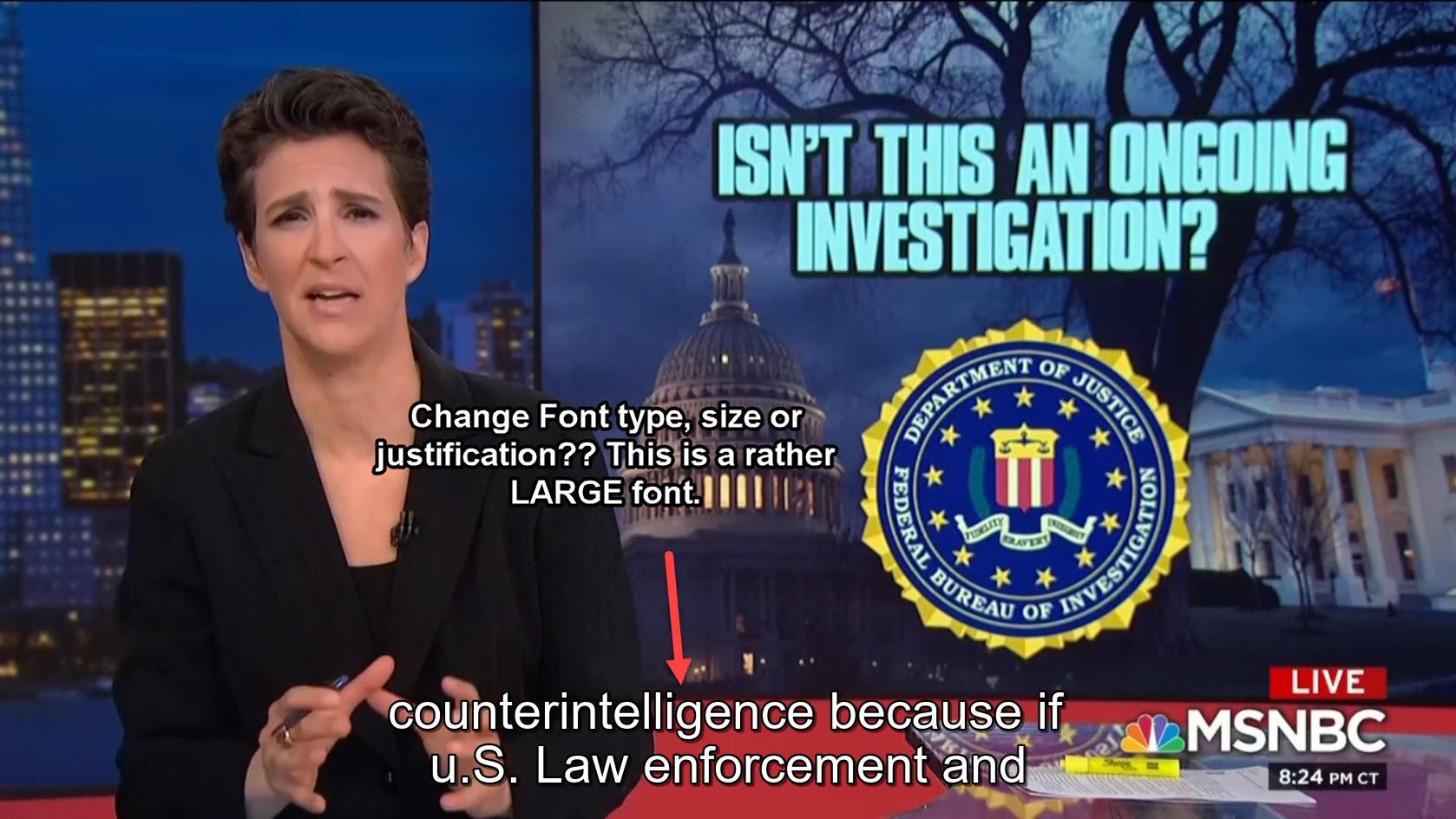
Does anyone know if I am able to change the font, size or location of the text that is being burned in? Currently it seems to use perhaps an Arial font from my PC, and uses a fairly large text that is centered. Is there a way to change the font to a specific font, as well as use a specific sized font, and perhaps left justify the captioning rather than center?
---
### Author:  [@robtheone](https://discussion.mcebuddy2x.com/u/robtheone)
#### Post date: [May 31, 2018, 8:56pm UTC](https://discussion.mcebuddy2x.com/t/subtitle-font-and-size/1802/2 "2018-05-31T20:56:03Z")
Anyone know? Is this possible?